



Empower your startup with user-centered design
We specialize in crafting high-quality UX designs at an affordable price that help our startup clients shine in a sea of competitors. Hundreds of startup clients have entrusted us with their vision, and we've helped mold their products to increase conversion rates and generate substantial revenues.
Talk to us today to turn your startup's product ideas into a winning reality.






Unlock the full potential of your enterprise apps
With user-friendly designs, we empower your employees to work smarter, resulting in increased productivity and improved customer service. Our enterprise UX services have helped clients achieve significant improvements in cost efficiency and productivity.
Revamp your enterprise UX and experience the difference for yourself.
32%
Increase in revenue
35%
Increase in efficiency
23%
Less operational costs
50%
Decrease in training
Listen to our successful start-up clients






Startup UI UX design services
From conceptualization to pitch deck, UI UX design and development, we provide cost-effective solutions on time and within budget to help startups create successful products.
Mobile app UI UX design
We specialize in creating mobile apps that are attention-grabbing, conversion-oriented, and cost-effective. Through our indepth research, we analyze your target audience, their preferences, and pain points which enables us to design intuitive and engaging user interfaces that meet user needs. Our conversion-driven design optimizes user flows to drive desired actions.
Web application UI UX design
Our web application UI UX design services focus on building websites and web apps that align with your startup's vision and cater to your users' needs. We take a user-first approach, conducting in-depth research and usability testing to gain insights into user behaviors and create functional interfaces. Our designs are responsive and scalable, adapting to different devices and ensuring optimal performance.
SaaS UI UX design
Our expert SaaS UI UX design services aim to increase customer retention and reduce churn rate. By streamlining complex workflows and reducing friction points, we create intuitive interfaces that are easy to use. Our retention-focused design strategies encourage user engagement and ensure positive user experience. We base our design decisions on data analytics and user feedback, continuously improving your SaaS product to drive customer satisfaction.
Our UX design packages
As a design agency for startups, we understand the unique challenges and cost constraints faced by startups like yours. Our startup packages are designed to deliver value for every dollar, meeting your custom needs and enabling rapid product launch and growth.
Explore and choose what best fits your needs
Attributes
Lorem Ipsum is simply dummy text of the printing.
- UX strategy
- Competitor research
- User persona
- User flow
- Wireframes
- Ul Design (Figma)
- Clickable prototype (Figma)
- Style guide
- No. of screens
- Custom themes
- Completion time frame
small
UX startup/MVP
$5,200
- Up to 10
- 1
- 4 working weeks
Medium
UX enhancer/existing design
$9,400
- Up to 20
- 1
- 7 working weeks
Large
Complete UX redesign
$22,900
- Up to 50
- 2
- 17 working weeks
Stories of successful startup projects

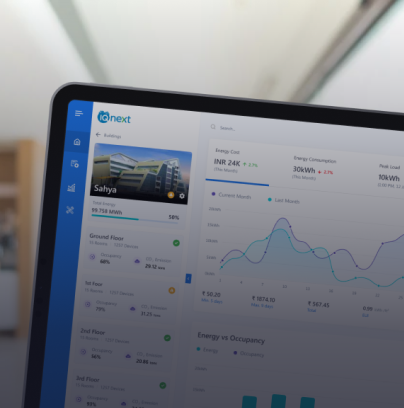
Real estate agents app
Lorem Ipsum is simply dummy text of the printing and typesetting industry. Lorem Ipsum has been the industry's standard...
Real estate agents app
Lorem Ipsum is simply dummy text of the printing and typesetting industry. Lorem Ipsum has been the industry's standard...
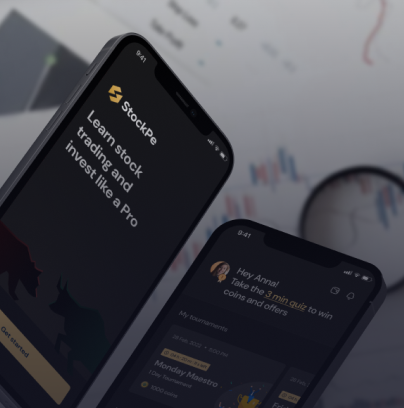
Real estate agents app
Lorem Ipsum is simply dummy text of the printing and typesetting industry. Lorem Ipsum has been the industry's standard...
Design process for startups
Our highly collaborative design approach helps startups translate their vision into high-quality designs that perfectly align with their business goals.

Startup strategy sprint
We collaborate with you to understand your concept, value proposition, business goals and competition. With these insights, we craft a strategic roadmap, outlining the course of actions.
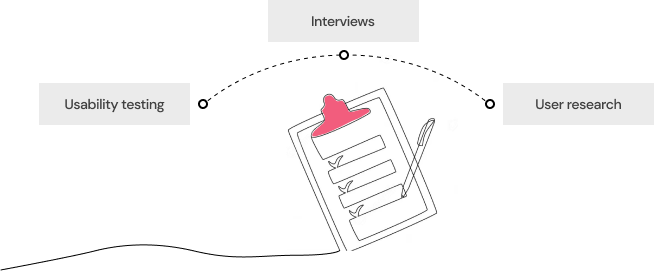
Understanding target audience
We understand your users inside out through user research, interviews, and usability testing. The knowledge of their pain points, motivations, and behaviors guides our design decisions.

Agile prototyping and validation
We follow agile methodologies to do rapid prototyping so that you can visualize and test your product early on and share relevant feedback.

Development and launch
We follow agile development practices to ensure efficient implementation, quick iterations, and a seamless user experience, helping you launch your product on time.
Ongoing support
We offer post-launch support to optimize user experiences and leverage emerging market trends to help you stay competitive in the ever-evolving startup ecosystem.
Frequently asked questions on enterprise UX design
What business benefits can I get by using Aufait UX’s enterprise UI UX design services?
-
1.
Better employee productivity: With a well-crafted UI UX design, we make it easier for your employees to navigate and interact with the internal software, leading to improved efficiency and productivity.
-
2.
ncreased sales: Our user-friendly designs are backed by extensive user research and strong UX audit, increasing the probability of conversions and sales.
-
3.
Reduced costs: Investing in enterprise software UX design at the beginning of a project helps you reduce the need for redesigns later on, which can be quite costly.
-
4.
Better brand image: With a professional UI UX, we help you create a consistent brand image and improve the credibility of businesses.
-
5.
Higher user retention: User satisfaction is a key criteria that drives our enterprise UI UX design. Our well-designed solutions encourage employees to perform their every day tasks effectively.
-
6.
Reduced learning curve: With our intuitive ux for enterprise applications, complex internal software are made simple, reducing the learning curve significantly.
How does enterprise UX design help improve employee productivity?
How can companies ensure they are getting the most out of their investment in Aufait UX’s enterprise UI UX design services?
How can I calculate the ROI for my investments in UX/UI services?
How long does it typically take to complete an enterprise UX project?
How can Aufait UX improve SAP user experience?
How can Aufait UX improve Sharepoint UX?
What are the steps of an enterprise UI UX design process?
-
1.
Understand the users and their needs: Research and gather information about the target users, their goals, and pain points.
-
2.
Define the problem and goals: Define the problem that needs to be solved and the goals that need to be achieved.
-
3.
Create a user flow: Develop a flowchart that outlines the steps a user will take to accomplish their goals.
-
4.
Design wireframes and mockups: Create low-fidelity visual representations of the user interface, such as wireframes and mockups.
-
5.
Conduct user testing: Test the wireframes and mockups with real users to gather feedback and make improvements.
-
6.
Design the final interface: Use feedback from user testing to create a high-fidelity design of the user interface.
-
7.
Develop and implement: Once the design is finalized, it can be handed over to the development team for implementation.
-
8.
Monitor and improve: Continuously monitor the performance of the UI/UX design and make improvements as needed.
What are the steps of an enterprise UI UX design process?
-
1.
User research and analysis: In this step, we conduct user research to understand the needs, goals, and pain points of the target audience. The research may be through surveys, interviews, or user testing.
-
2.
Define: The second step Define involves creating an information architecture, sitemap, user flows and wireframes to build a strong foundation for the design.
-
3.
UI design: Here, we design the visual elements of a user interface, such as the layout, color scheme, and typography.
-
4.
Interaction design: This step is about designing users’ interactions points with a product or service, including navigation, controls, and feedback.
-
5.
User testing: We test the enterprise app with users to identify any usability issues and gather feedback.
-
6.
Prototyping: We create a working prototype of a product or service to test the usability and gather feedback from the clients before final design.
-
7.
Front end development: We perform the front-end development to ensure that the design is translated precisely to corresponding code and it meets the needs of the users.
-
8.
Ongoing refinement: We constantly monitor the performance of the enterprise app, gather feedback and data, and make improvements to optimize user experience over time.
Are there any specific challenges associated with UX/UI design for enterprise applications?
-
1.
Complexity: Enterprise apps are characterized by high levels of complexity due to the large number of features and functionalities they have. Hence designing a simple and easy to use UI UX is often challenging.
-
2.
Consistency: Enterprise applications are often highly customized, and may need to be tailored to the specific needs of different departments or business units. This can make it difficult to design a user interface that is consistent and easy to use across the entire organization.
-
3.
Integration: Enterprise applications often need to be integrated with other systems and tools within the organization. Designing a seamless UI that supports this integration is a challenging task.
-
4.
Scalability: Scalability is an important criteria for enterprise apps owing to the large numbers of users and data associated with enterprises. Designing an interface that is fast and responsive is hence key for enterprise software.
-
5.
Stakeholders involvement: As multiple stakeholders are involved in enterprise apps and each may be having their own requirements and perspectives, designing a UX UI that meets the needs of all stakeholders is important.
-
6.
User's diversity: The users of enterprise software may have different levels of technical expertise and different goals. Hence accessibility and easy to use for everyone are must-haves for enterprise app design.
-
Though the challenges of enterprise UX design are many, the expert team at Aufait UX can help you overcome them and design an efficient app that meets all your needs.
What are the enterprise UI UX design services you offer?
What is the cost for hiring Aufait UX for enterprise UI UX design service?
-
1.
Project Mode: The cost of the project is based on the scope, deliverables, and duration of the project. This model is recommended for new product developments from the ground-up and total product revamp projects.
-
2.
Time & Material based: The project cost is estimated based on the effort expended and the scope is determined by the customer. This model is suggested for projects where the scope cannot be finalized initially, and for maintenance projects that require ongoing effort for maintenance and enhancements. Most of our enterprise customers transition to the T&M model once the initial products are designed and implemented.
-
3.
Design Packages: We offer various packages to develop clickable and demonstrable prototypes, allowing our customers to quickly turn an idea into a tangible prototype. This is ideal for visualizing a product idea and presenting it to potential customers, stakeholders and investors.
What kind of information do you need for price estimation?
-
1.
Project scope: Tell us the scope of the project, including the specific features and functionality that need to be designed, as well as any constraints or limitations
-
2.
Deliverables: Define the specific deliverables that you expect from the project, such as wireframes, user flows, prototypes, and design system.
-
3.
Timeline: Provide an estimated timeline for the project, including important milestones and deadlines.
-
3.
Budget: Tell us an estimated budget for the project, including any constraints or limitations.
-
The T&M model is an ongoing partnership model in which our team takes part along with your sprint and in this model, the cost depends on the resource requirements.
How can we measure the success of our enterprise UX design?
-
1.
User satisfaction: Use surveys, interviews, or usability testing, to measure user satisfaction and gain insight into how well the design meets the needs of the users.
-
2.
Productivity: Track the time it takes for users to complete specific tasks, or measure the number of tasks completed in a given period of time to get insights on how enterprise UX design improves productivity.
-
3.
Error rate: Monitor the number of errors users make while using the software and compare it with previous error rate to get insights on effectiveness of enterprise UX design.
-
4.
ROI: To measure ROI, compare the costs associated with the design project to the benefits such as increased productivity, improved user satisfaction, and reduced training and support costs.
What is the role of a Design System in enterprise UX ?
-
1.
Consistency: A design system helps to ensure consistency across all of an organization's digital products, by providing a set of guidelines and patterns for design, interaction, and branding. This improves ease of navigation and builds a consistent experience throughout the design.
-
2.
Reusability: With a set of reusable components, such as buttons, forms, and navigation elements that can be used across different products, design systems support reusability. As a result development and maintenance effort and cost can be reduced.
-
3.
Scalability: A design system supports an organization's growth by supporting scalability and evolving to meet the organizational changes over time.
-
4.
Accessibility: With accessibility guidelines and components, design systems ensure that digital products are accessible for all users, including those with disabilities.
-
4.
Brand alignment: A design system aligns the organization's digital products with the company's brand, vision and design guidelines.
-
.5
Unified communication: A design system provides a unified language to communicate and collaborate improving the understanding among different teams and stakeholders.
How to handle security and compliance requirements in enterprise UX design?
-
1.
Implementing secure authentication and access controls to limit who can access sensitive information.
-
2.
Encrypting data in transit and at rest to protect it from unauthorized access.
-
3.
Regularly update the system and its components to ensure that the latest security patches and fixes are applied.
-
4.
Providing user training and education on security best practices to ensure that employees are aware of the importance of protecting sensitive information and know how to do so.
-
5.
Incorporating compliance requirements into the design process, such as making sure that the user interface meets accessibility standards and that data is handled in accordance with industry regulations.
-
.6
Regularly auditing the system to ensure that it remains compliant with security and regulatory requirements.
-
.7
Use secure design patterns and guidelines, such as the OWASP Top 10, to ensure that the design is secure and compliant
What are the steps of an enterprise UI UX design process?
-
1.
User research and analysis: In this step, we conduct user research to understand the needs, goals, and pain points of the target audience. The research may be through surveys, interviews, or user testing.
-
2.
Define: The second step Define involves creating an information architecture, sitemap, user flows and wireframes to build a strong foundation for the design.
-
3.
UI design: Here, we design the visual elements of a user interface, such as the layout, color scheme, and typography.
-
4.
Interaction design: This step is about designing users’ interactions points with a product or service, including navigation, controls, and feedback.
-
5.
User testing: We test the enterprise app with users to identify any usability issues and gather feedback.
-
6.
Prototyping: We create a working prototype of a product or service to test the usability and gather feedback from the clients before final design.
-
7.
Front end development: We perform the front-end development to ensure that the design is translated precisely to corresponding code and it meets the needs of the users.
-
8.
Ongoing refinement: We constantly monitor the performance of the enterprise app, gather feedback and data, and make improvements to optimize user experience over time.